Feb 5, 2026
OpenAI just launched Frontier, their new enterprise platform for building and managing AI agents. It's positioned as an "operating system for the enterprise" that lets organizations deploy "AI coworkers" across their business systems.
But how does it actually stack up against StackAI, the platform purpose-built for enterprise AI agent orchestration? We took a deep dive into both platforms to give you a comprehensive, practical comparison.
TL;DR: StackAI vs OpenAI Frontier
Capability | StackAI | OpenAI Frontier |
|---|---|---|
Primary Use Case | End-to-end platform for building, deploying, and managing production AI agents | Intelligence layer for managing AI agents |
Agent Building | Full visual workflow builder with no-code interface | Designed for chat assistants with tools (like GPTs) |
Trigger Options | API, webhooks, email, scheduled, form submissions, Slack, and more | Primarily chat-based interactions |
Development Lifecycle | Full ADLC with environments (dev/staging/prod), version control, pull requests, approval workflows | Basic publish/unpublish only |
Governance & Access Control | Four roles (Admin, Editor, Viewer, User), custom groups, delegated permissions, workspace-level controls | Agent identity and access tracking, no group management or delegated permissions |
Analytics & Monitoring | Conversational analytics with natural language queries, per-step traces, performance dashboards, usage trends | Real-time scoring on hallucination and performance, agent feedback loops |
Model Flexibility | Model-agnostic (OpenAI, Anthropic, Google, on-prem models) | OpenAI models only |
Deployment Options | Cloud, hybrid, on-premise, air-gapped environments | Cloud-based through Frontier platform, VPC, On-Prem |
Integration Approach | 100+ pre-built integrations, direct API connections | "Business context layer" connecting to existing systems |
Best For | Organizations needing full control over agent development, testing, and deployment | Organizations wanting to manage disparate agents from multiple sources |
What OpenAI Frontier Actually Does
Let's start by understanding what Frontier is and isn't. Based on the launch announcement and early customer reports, Frontier is fundamentally an intelligence and management layer rather than a complete agent building platform. It provides three core components:
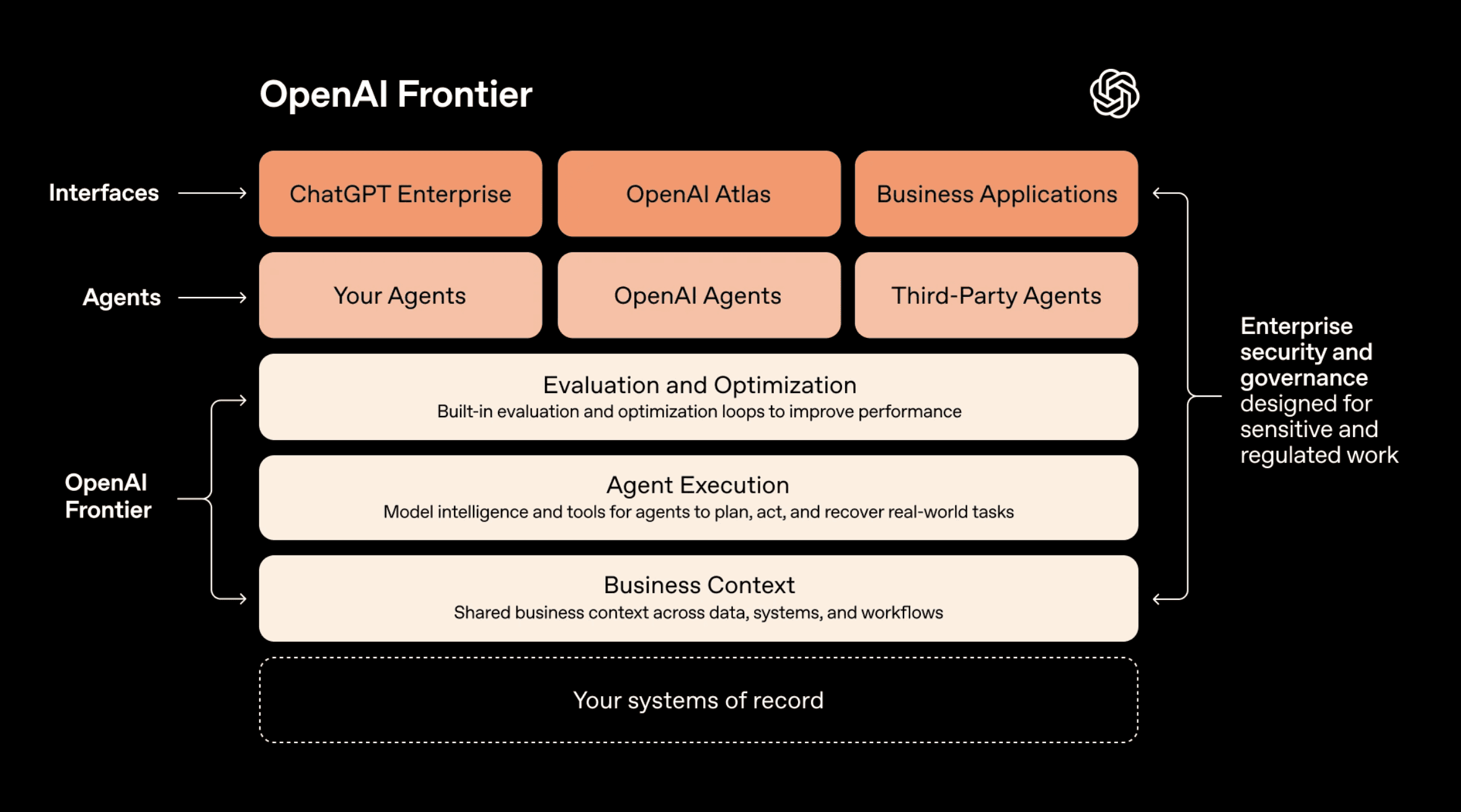
Business Context Layer connects your data warehouses, CRM systems, ticketing tools, and internal applications so agents can access the same information employees do. OpenAI calls this a "semantic layer for the enterprise."
Agent Execution Environment gives agents the ability to use tools, run code, manipulate files, and work across applications. This is where agents actually do work on your behalf.
Identity and Governance assigns each agent an identity with explicit permissions and guardrails, similar to how you'd manage employee access to systems.
The platform is designed to work with agents built in OpenAI (through ChatGPT Enterprise), agents you build yourself, and even agents from competitors like Google, Microsoft, and Anthropic. It's meant to be the unified control plane for all your AI agents, regardless of their origin.
What This Means for Enterprise Teams
Here's what Frontier excels at: if your organization already has AI agents scattered across different tools and you need a way to give them consistent access to business data and monitor what they're doing, Frontier provides that orchestration layer.
Where it falls short is in the actual agent development workflow. Based on available information, Frontier is designed primarily for chat assistants with tool use capabilities (think enhanced ChatGPT with business context). If you need agents triggered by APIs, scheduled workflows, email processing, form submissions, or complex multi-step automations, Frontier doesn't appear to support these use cases out of the box.
The Agent Development Lifecycle Gap
This is where the differences become stark. Enterprise teams building production AI agents need more than just deployment infrastructure. They need a complete development lifecycle.
StackAI implements what we call the Agentic Development Life Cycle (ADLC), bringing software development best practices to AI agent management:
Environment Separation means you build agents in development, validate them in staging, and deploy only tested versions to production. Each environment is completely isolated with its own data connections and configurations. This prevents the "test in production" problem that plagues many AI initiatives.
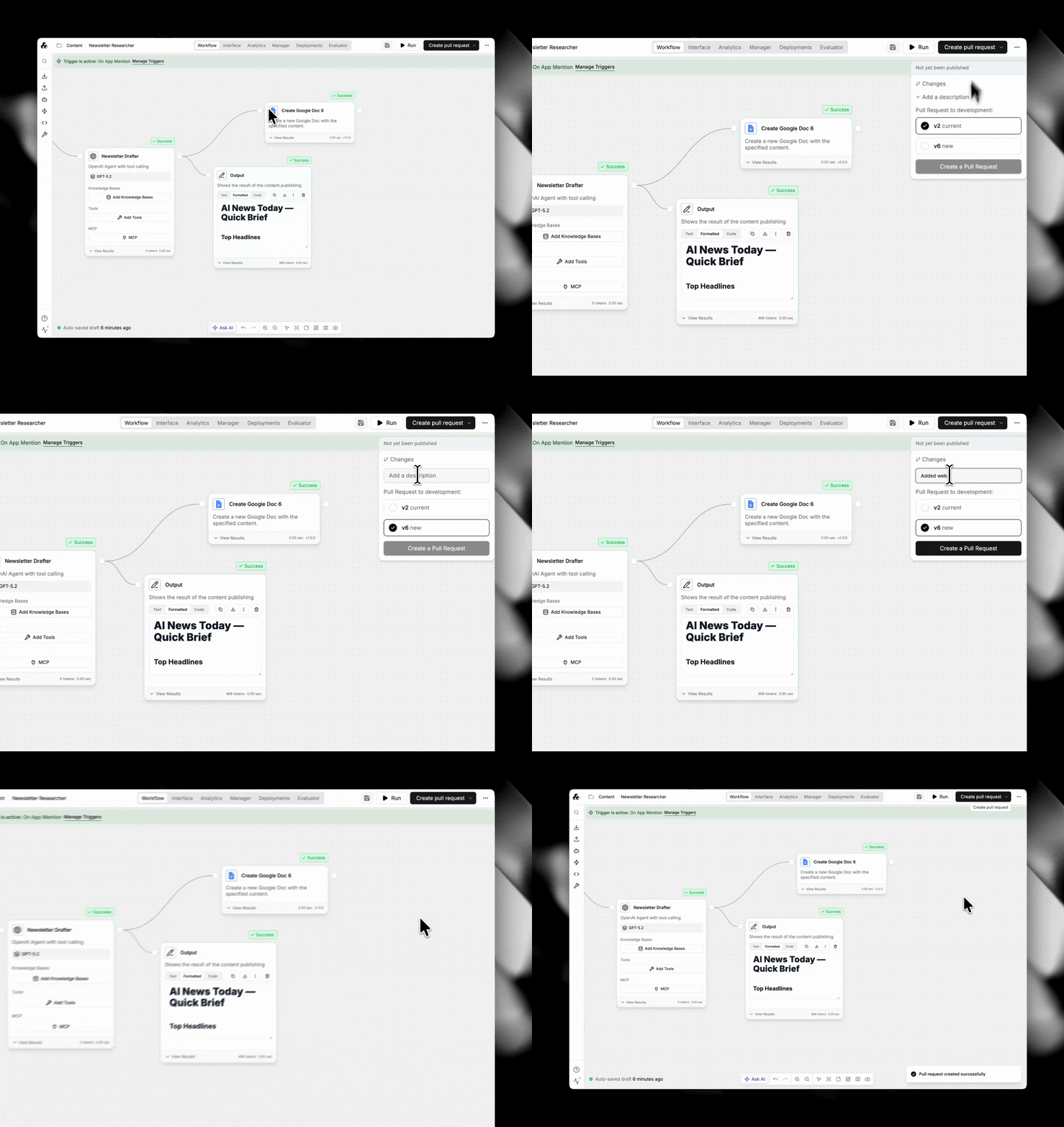
Version Control automatically tracks every change to an agent. You can compare versions to see exactly what changed (prompts, nodes, integrations, configurations), revert to previous versions if something breaks, and maintain a complete audit trail for compliance.
Approval Workflows require pull requests for production deployments. Builders create changes in development, request deployment through a pull request with description and justification, and admins review the version diff and test before approving. Only then do changes reach production.
Frontier, on the other hand, only appears to support basic publish and unpublish actions for chat-based interfaces.
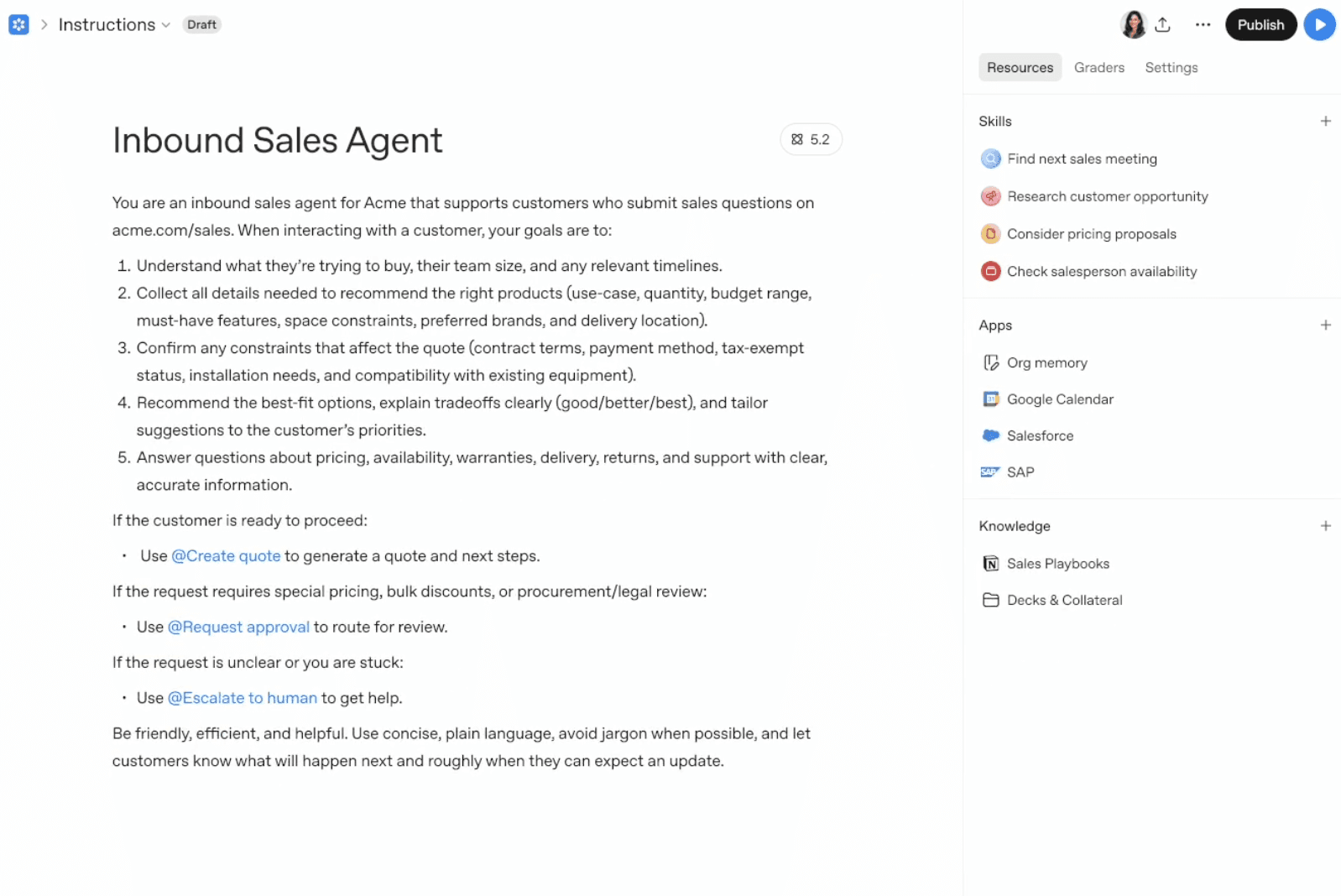
Governance: Beyond Access Control
Both platforms understand that governance matters for enterprise AI. But they approach it differently.
StackAI's Layered Governance
StackAI provides governance at multiple levels:
Role-Based Access Control with four default roles (Admin, Editor, Viewer, User) that can be customized. Admins approve deployments, Editors build and test, Viewers observe, and Users only interact with published agents.
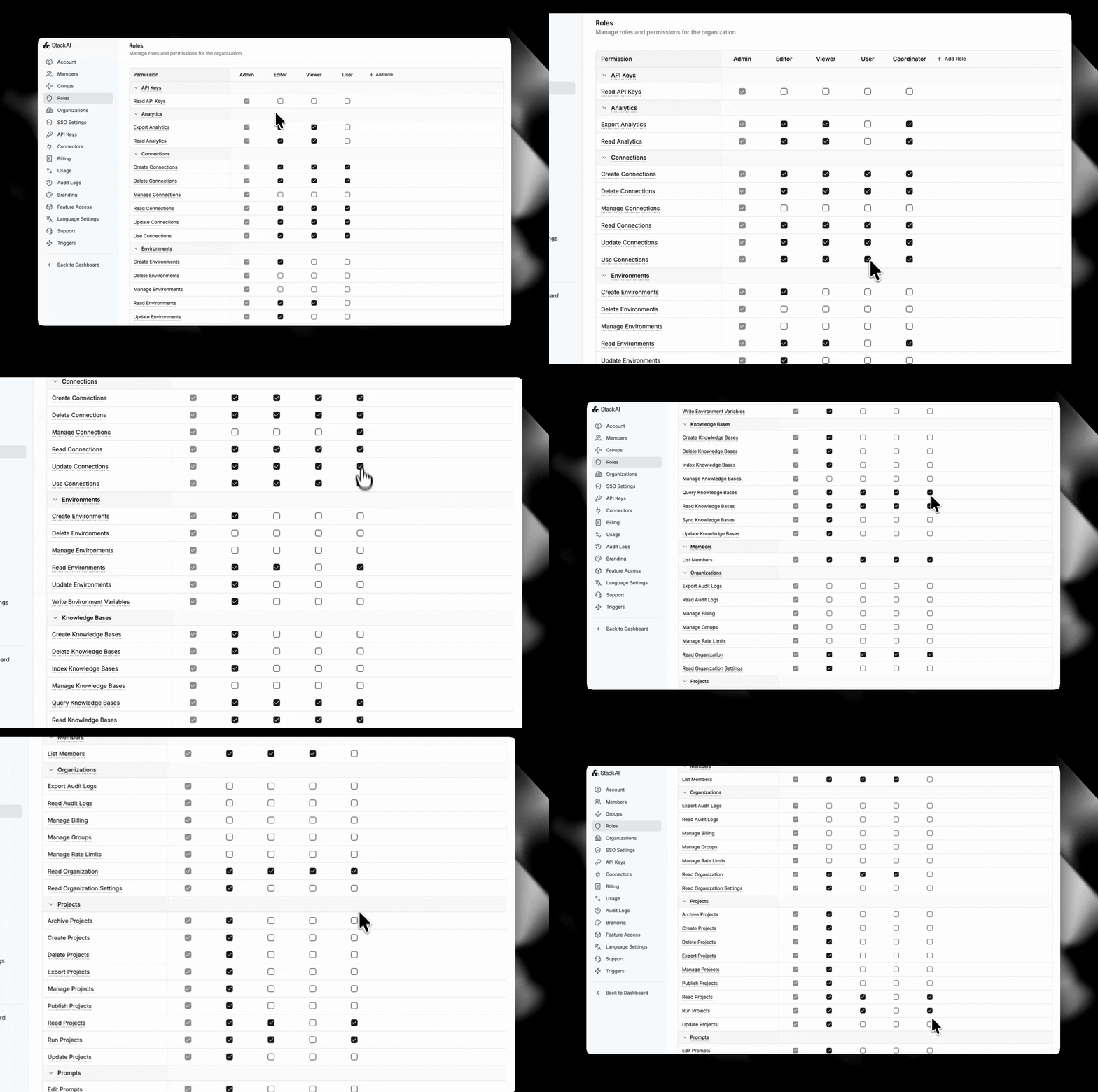
Group Management allows you to create teams like "Legal", "HR", or "Risk" and assign them to specific workspaces and projects. This mirrors how organizations actually work, where different teams need different levels of access to different agents.
Workspace-Level Controls let admins enforce SSO across all interfaces, restrict who can publish, block or enable specific integrations, and apply guardrails at the organizational level.
Knowledge Base Privacy keeps all knowledge bases and integrations private by default, with explicit sharing required.
Together, these create a governance framework that scales as your agent portfolio grows.
Frontier's Agent Identity Approach
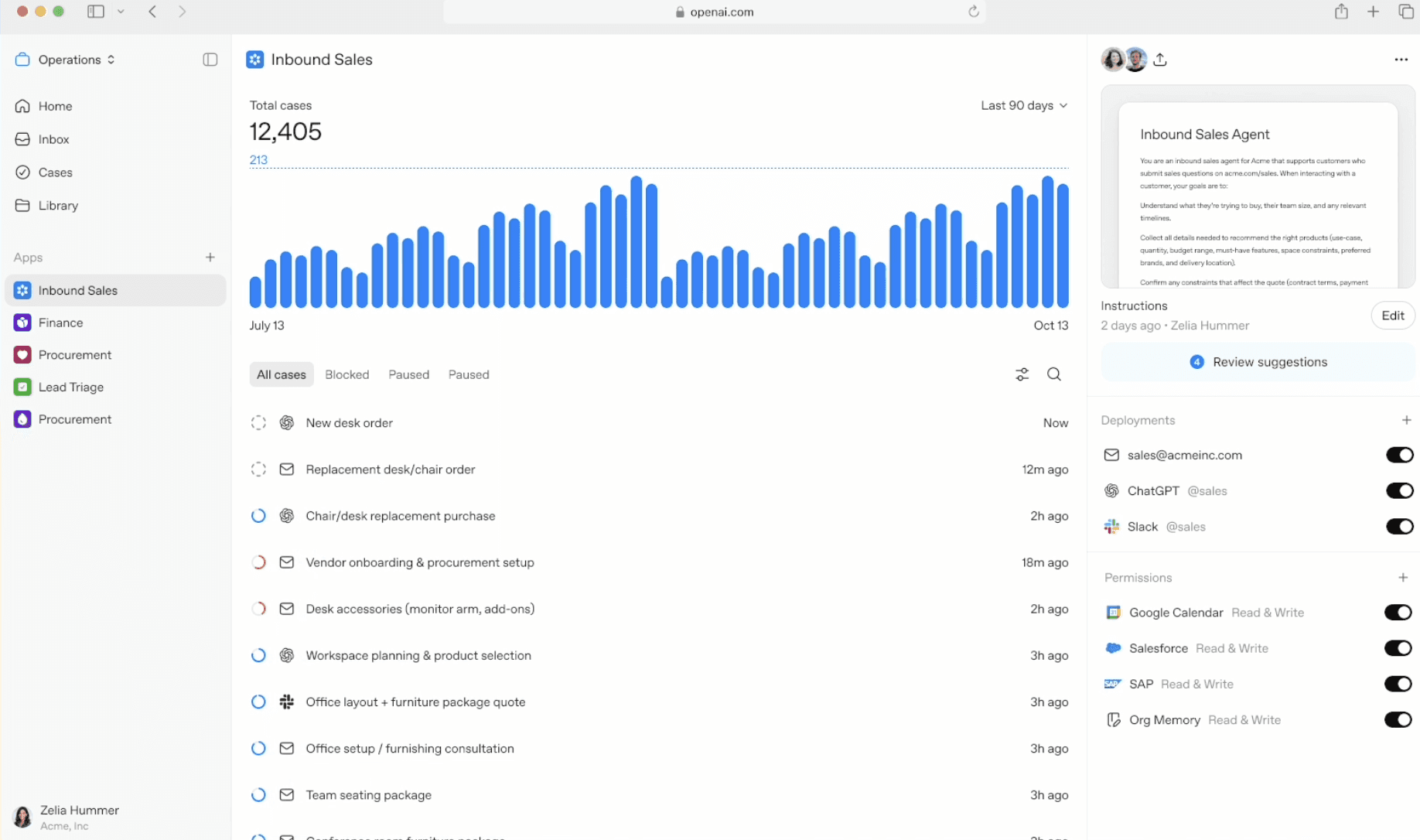
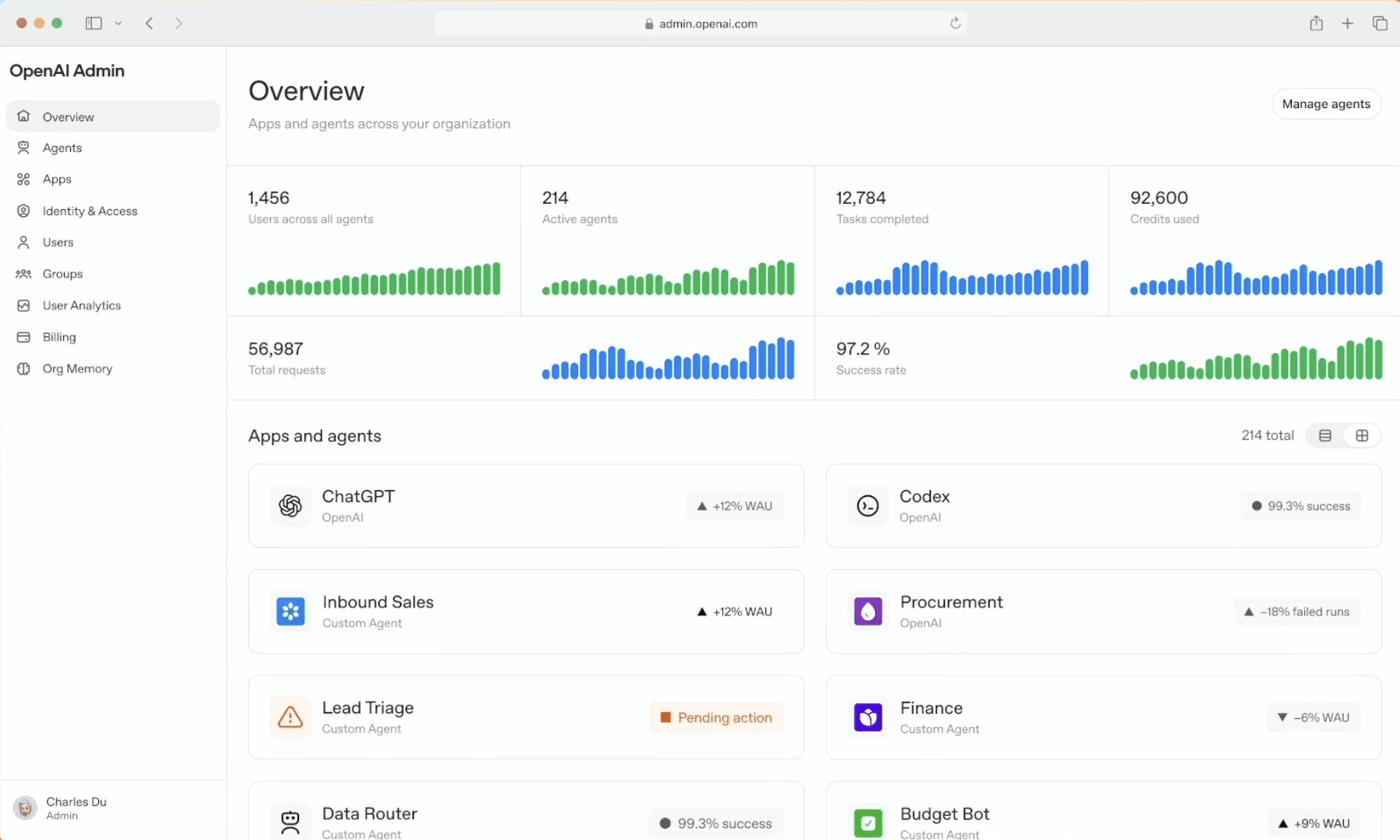
Frontier assigns each agent an identity with permissions scoped to what that agent needs to do. This is elegant and important. An HR agent shouldn't have access to financial systems, and Frontier enforces that at the agent identity level.
However, Frontier doesn't appear to support group management, delegated permissions, or developer access controls. Every agent has an identity, but there's less granularity around who can create, modify, or manage those agents.
Trigger and Deployment Flexibility
This is perhaps the most practical difference for teams evaluating platforms.
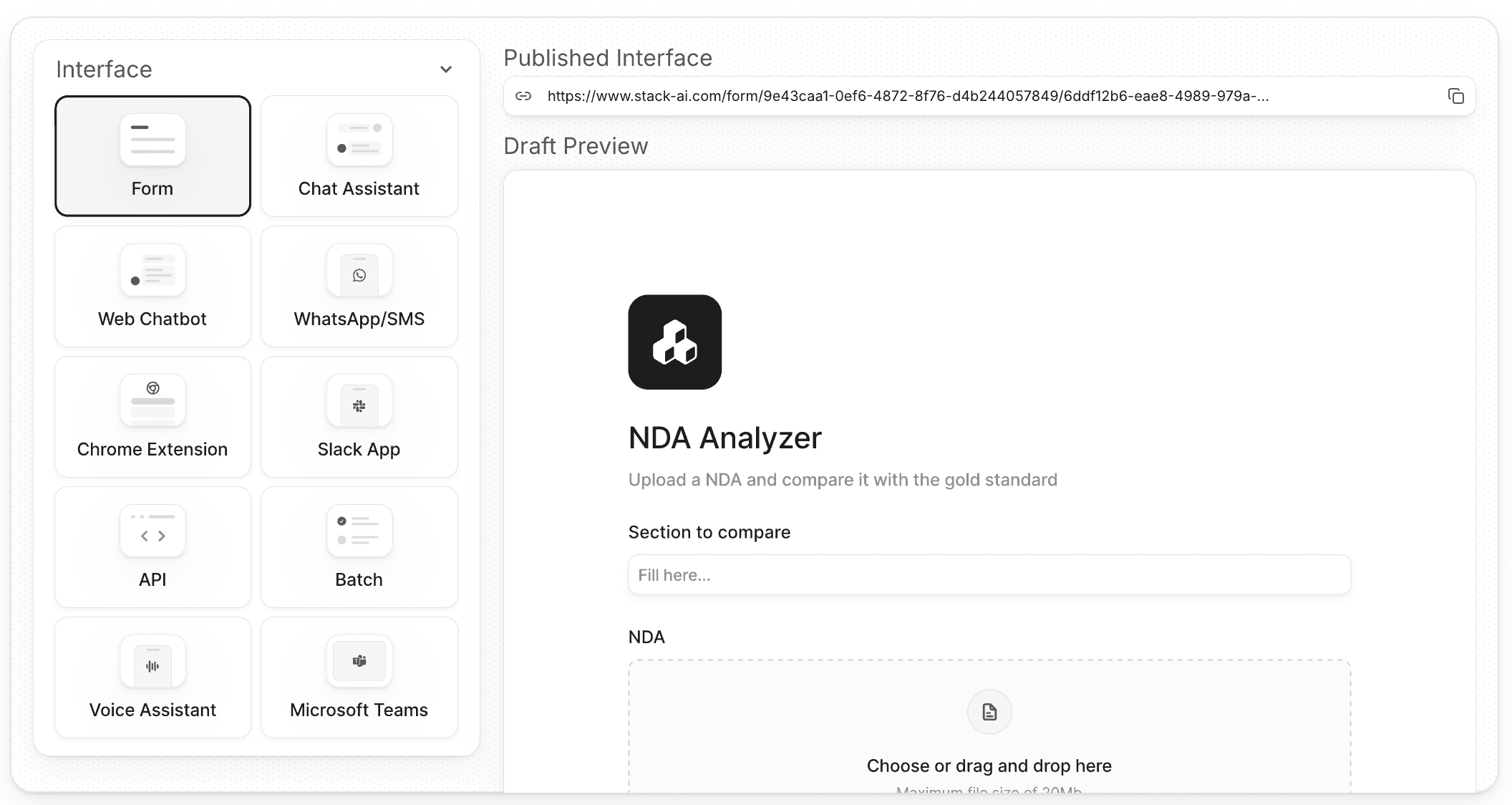
StackAI's Trigger Options
StackAI agents can be triggered by:
API calls for programmatic integration
Webhooks for event-driven workflows
Email for document processing and communications
Scheduled runs for batch operations
Form submissions for data collection
Slack or Teams messages for team collaboration
Manual execution for testing
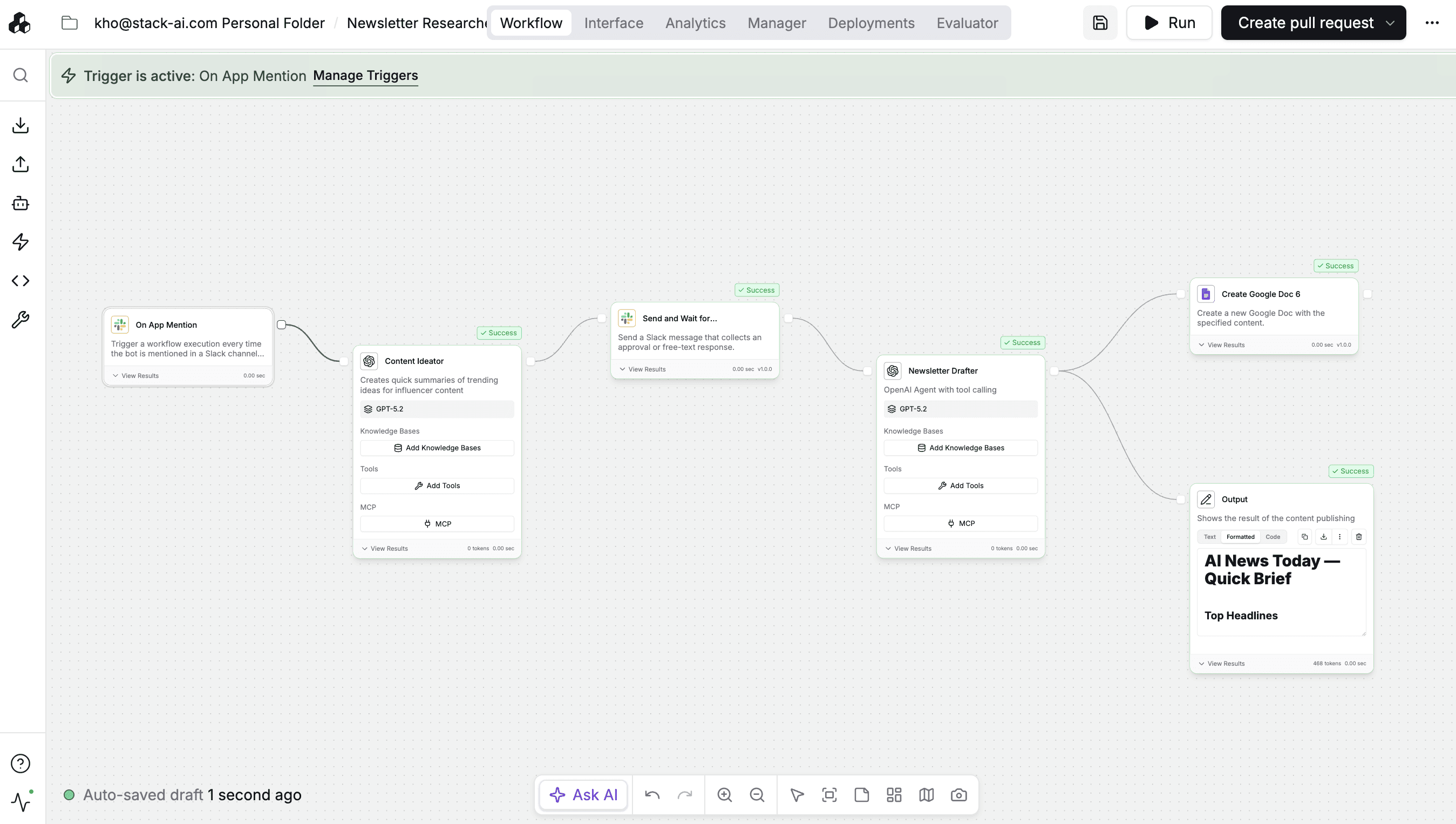
This flexibility means you can deploy agents wherever they're needed — with whatever interface works best. An invoice processing agent runs when emails arrive. A compliance monitoring agent runs nightly. A customer support agent responds to Slack questions. These are fundamentally different use cases requiring different triggers.
Frontier's Chat-Centric Design
Based on available information, Frontier agents are primarily designed as chat assistants — answering questions over a knowledge base — with tool use capabilities. The platform connects to your business systems so these chat agents can access data and take actions, but the interaction model is conversational.
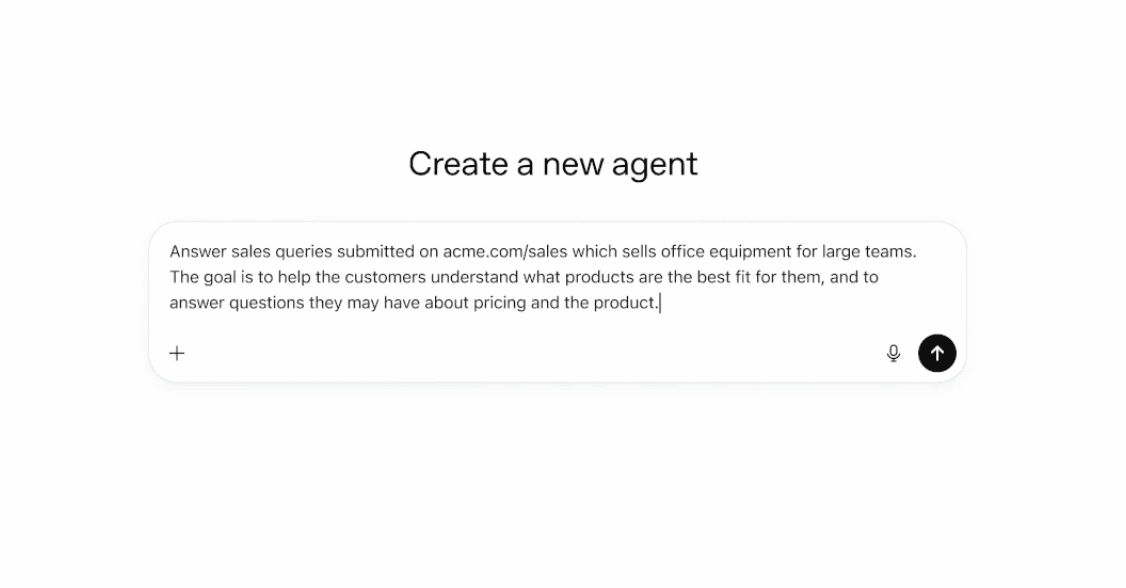
OpenAI mentions that agents can be accessed "through any interface" including ChatGPT, workflows with Atlas, or existing business applications. The Atlas reference is interesting since Atlas is OpenAI's workflow automation tool, but details on non-chat triggers remain unclear.
For many enterprise use cases, this chat-first approach works well. For automated workflows that need to run without human input, it's limiting.
Model Flexibility and Vendor Lock-In
StackAI is model-agnostic. You can use OpenAI, Anthropic, Google, Grok, or host your own models. Within a single workflow, you might use GPT-4 for complex reasoning, Claude for long-context tasks, and a specialized local model for sensitive data. This prevents vendor lock-in and lets you optimize for accuracy, latency, or cost depending on the use case.
Frontier, unsurprisingly, works exclusively with OpenAI models. For customers already standardized on OpenAI or those who find OpenAI models sufficient for all use cases, this isn't a problem. For regulated industries that need to keep certain workloads on-premise, or organizations that want flexibility to switch models as the landscape evolves, it's a significant constraint.
Analytics and Observability
Understanding what your agents are doing matters immensely for production systems.
StackAI's Comprehensive Analytics
StackAI provides full run history for every agent execution, per-step traces showing exactly what happened at each node, performance dashboards tracking latency and success rates, usage trends over time, error logs with context for debugging, and token usage for cost monitoring.
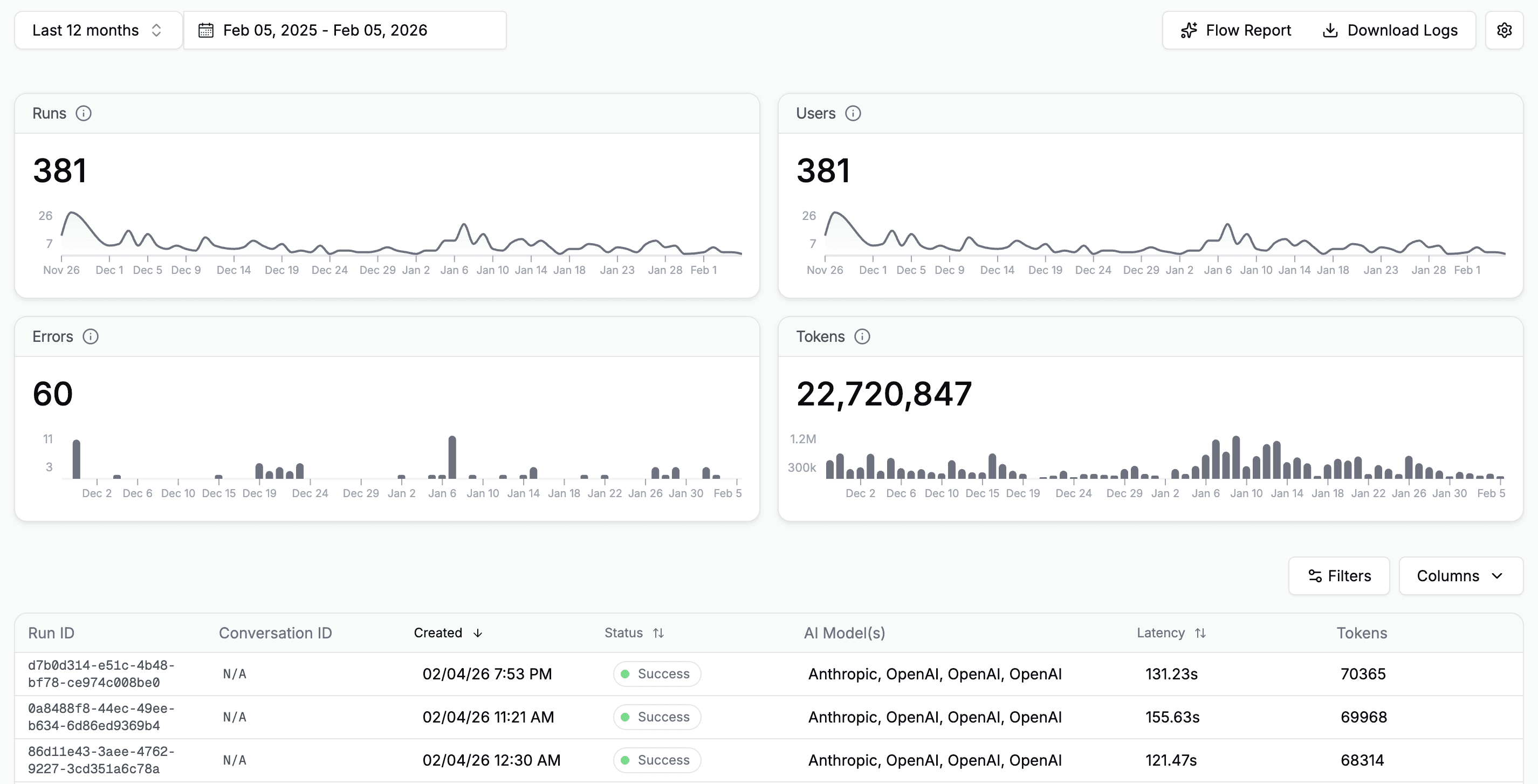
The conversational analytics feature lets you ask questions like "Which agents are most used this month?" or "Show me failed runs for the compliance agent" and get answers in natural language. This makes analytics accessible to non-technical stakeholders.
Frontier's Real-Time Quality Scoring
Frontier's standout analytics feature is real-time scoring on hallucination and performance. As agents work, Frontier evaluates whether they're staying grounded in facts, following instructions correctly, and producing useful outputs. You can provide feedback to improve agent performance over time.
The Verdict: Different Tools for Different Jobs
After this deep dive, it's clear that StackAI and OpenAI Frontier are solving related but distinct problems.
Choose OpenAI Frontier if you:
Already have AI agents scattered across different platforms and need unified management
Primarily need chat-based AI assistants with access to business context
Are standardized on OpenAI models
Value real-time quality scoring and continuous agent improvement
Choose StackAI if you:
Need to build production AI agents from scratch with full development lifecycle
Require diverse trigger options beyond chat (API, email, scheduled, webhooks)
Want environment separation, version control, and approval workflows for governance
Need model flexibility to use OpenAI, Anthropic, Google, or on-premise models
Have deployment requirements like hybrid, on-premise, or air-gapped environments
Work in regulated industries requiring comprehensive audit trails
Use both if you:
Build complex workflow agents in StackAI and use Frontier to orchestrate them alongside other tools
Need StackAI's development capabilities plus Frontier's cross-platform management layer
Final Thoughts
OpenAI Frontier represents an important evolution in enterprise AI. The vision of a unified intelligence layer that makes all your agents smarter by sharing business context is compelling. The execution, based on early customer testimonials, appears strong.
But Frontier is not a complete replacement for purpose-built agent development platforms. It's an orchestration layer that assumes you have agents to orchestrate. For organizations building production agents that need to run automatically, integrate deeply with business systems, and maintain strict governance and auditability, StackAI provides capabilities that Frontier doesn't address.
The key is understanding what problem you're actually trying to solve. Are you building agents or managing them? Do you need comprehensive development lifecycle support or just an intelligence layer? Do your use cases fit a chat interface or do you need automation workflows?
Answer these questions honestly, and the right choice becomes clear.
Ready to see how StackAI handles enterprise AI agent development? Get a demo to explore our ADLC capabilities, workflow builder, and deployment options.

Jonathan Kleiman
Customer Success at StackAI










