In 2026, a huge amount of work is being handled by AI agents. Not just inside chat windows but across developer tools, back-office systems, and workflow platforms.
Agentic workflows are now embedded across many industries: customer support, finance, healthcare, marketing, engineering, internal operations. The surface problems differ, but under the hood these systems look very similar. They are driven by language models, rely on tools and APIs to take action, use retrieval to ground outputs in real data, maintain memory to stay consistent over time, and often include humans in the loop for review or approval.
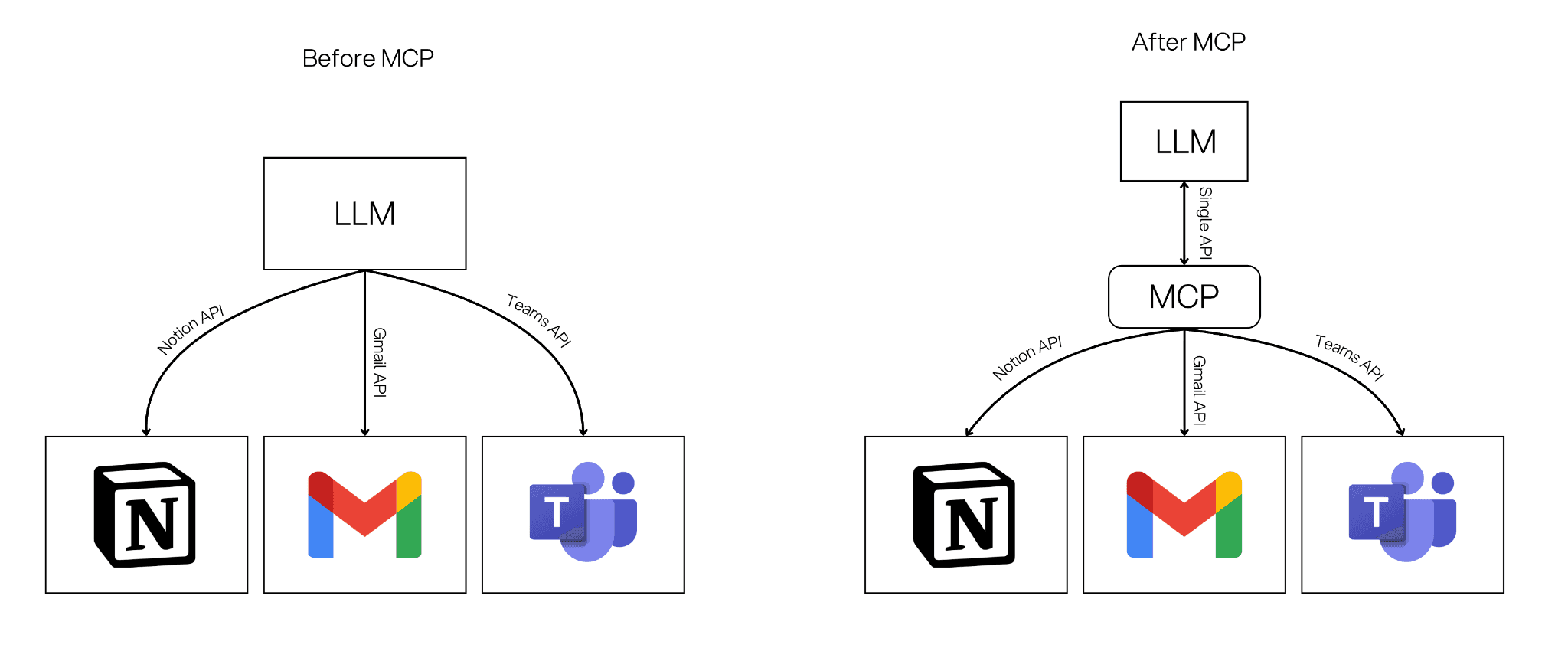
The hard part has never been defining these components. The real problem has been connecting them. Each agent typically requires custom API integrations, bespoke authentication, and fragile glue code just to access files, databases, or internal systems. This slows teams down and makes agentic systems difficult to reuse and scale.
Model Context Protocol (MCP) was created to solve exactly this problem. Introduced by Anthropic in late 2024, MCP is an open-source standard that acts as a universal adapter between AI models and external tools, data sources, and software. Instead of writing custom integrations for every system, MCP provides a shared, secure protocol that lets models discover what tools exist, understand how to use them, and call them in a consistent way.
In this article, we'll break down what MCP is and why it matters for agentic systems in 2026, then look at how MCP works inside StackAI and what that means for teams building reliable, reusable AI workflows.
What is MCP?
MCP is an open protocol for connecting AI applications and agentic workflows to external systems. It acts as a shared language that lets an AI application discover what tools are available, call those tools with structured inputs, fetch extra context and data when needed, and track progress, errors, and cancellations in a consistent way.
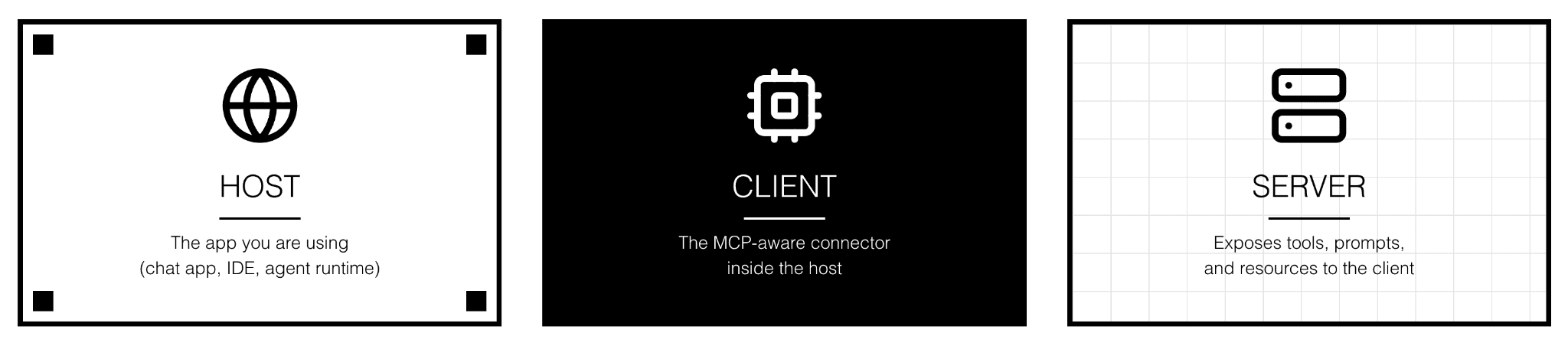
MCP follows a client-server pattern. The host is the app you are using (a chat interface, an IDE, or an agent runtime). The client is the MCP-aware connector inside the host that speaks the protocol. The server is a service that exposes tools, prompts, and resources to the client. Together, they let AI systems ask for and use real capabilities without hard-wired integrations.
Under the hood, MCP communicates using JSON-RPC messages. JSON is a plain text format that is easy for computers to read, and RPC (Remote Procedure Call) means one program can ask another to do something as if it were a local function call. MCP uses this because it is simple, widely understood, and consistent. Every tool, data provider, or prompt server that speaks JSON-RPC can be called the same way, which is exactly what MCP aims for.
An MCP server can offer three main building blocks. Tools are actions the AI can run, like calling an API or kicking off a workflow. Resources are data and context the AI can read, like documents, records, or workflow results. Prompts are reusable templates and guided flows that the client can surface to users or agents. Together, these let you separate what an agent can do from where it runs.
What StackAI Exposes Through MCP
When you connect StackAI through MCP, your AI assistant gets access to four actions it can call on your behalf.
whoami confirms the connected account by returning your StackAI user email. It is also the easiest way to verify that your connection is working after setup.
list_projects returns all your projects and their available workflows. When running a workflow, the assistant can call this first to automatically discover the right
org_idandflow_idbefore passing them along.run_workflow executes a published workflow. It takes three inputs:
org_id,flow_id, andinputs(the data to pass in, such as a text prompt, file URL, or image URL). You can specify a published version or default to the latest. You can also request verbose output if you want the full raw result instead of a simplified summary.create_workflow builds a new workflow from a natural language description. The server passes your description to a StackAI AI assistant, which generates the workflow nodes and connections, saves it as a draft, and publishes it automatically.
How to Connect StackAI via MCP
StackAI's MCP server uses OAuth for authentication. The first time you connect, your client opens a browser window for you to sign in with your StackAI credentials. After that, your client handles the token automatically.
There are three ways to connect.
Option 1: StackAI hosted server. The simplest option. The server URL is
https://mcp.stack.ai/mcp. In Claude Desktop, add it to yourclaude_desktop_config.json. In Cursor, go to Settings, open MCP, click Add Server, and enter the URL. You can also test it with MCP Inspector by runningnpx @modelcontextprotocol/inspector https://mcp.stack.ai/mcp.Option 2: Self-hosted via Prefect Horizon. After deploying on Prefect Horizon, your server is live at
https://<your-server-name>.fastmcp.app/mcp. Use that URL in place of the hosted URL. Everything else, including the auth flow, is identical. MCP Inspector works here too:npx @modelcontextprotocol/inspector https://<your-server-name>.fastmcp.app/mcp.Option 3: Self-hosted via Docker. After deploying your Docker container and pointing a domain to it, your endpoint will be
https://<your-domain>/mcp. Your server must be accessible over HTTPS with a valid certificate. Plain HTTP or self-signed certificates will be rejected by most MCP clients. Make sureSERVER_BASE_URLin your environment config matches your public domain exactly, or the OAuth login callback will break.Verify the connection. You can confirm the server is reachable before connecting your client by running
curl https://mcp.stack-ai.com/healthz, which should return{"status": "healthy"}.
First-time login. Regardless of which option you use, the first connection triggers an OAuth login. Your MCP client opens a browser window, you sign in with your StackAI credentials, authorize the client when prompted, and the browser redirects back to complete the connection. After this, your session is stored by the client and you won't need to log in again unless your token expires.
Once connected, ask your assistant to run whoami. It should return your StackAI account email. Get a full breakdown on the StackAI documentation page.
What This Means
Connecting StackAI through MCP changes how your team runs workflows. Chat becomes the interface, and your published workflows become the tools.
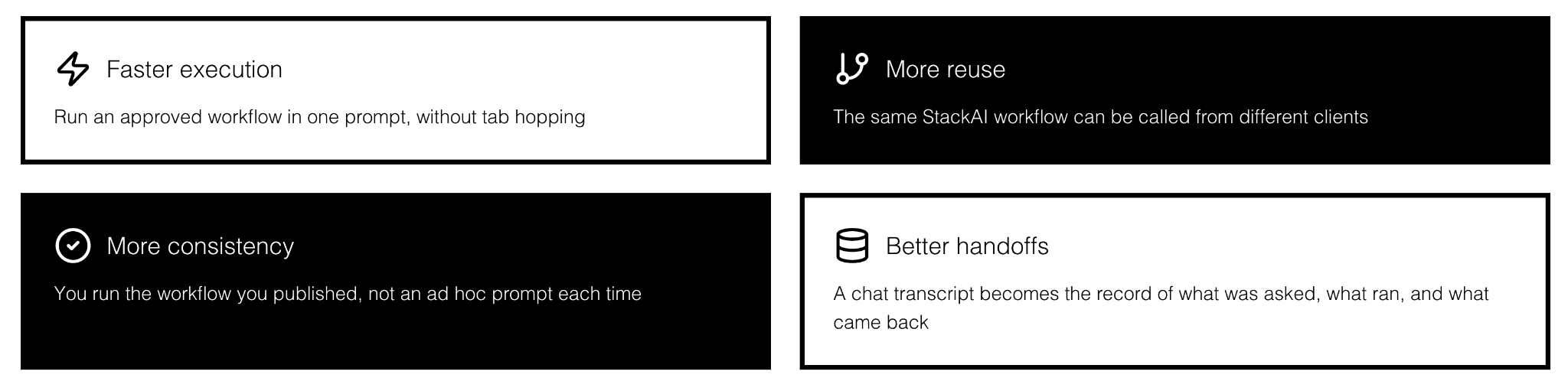
Practical benefits include faster execution (run an approved workflow in one prompt without tab switching), more reuse (the same workflow can be called from any supporting client), better consistency (you run the workflow you published, not an ad hoc prompt), cleaner handoffs (the chat transcript becomes the record of what ran and what came back), and easier rollout (teams get access to tools that already follow your workflow logic).
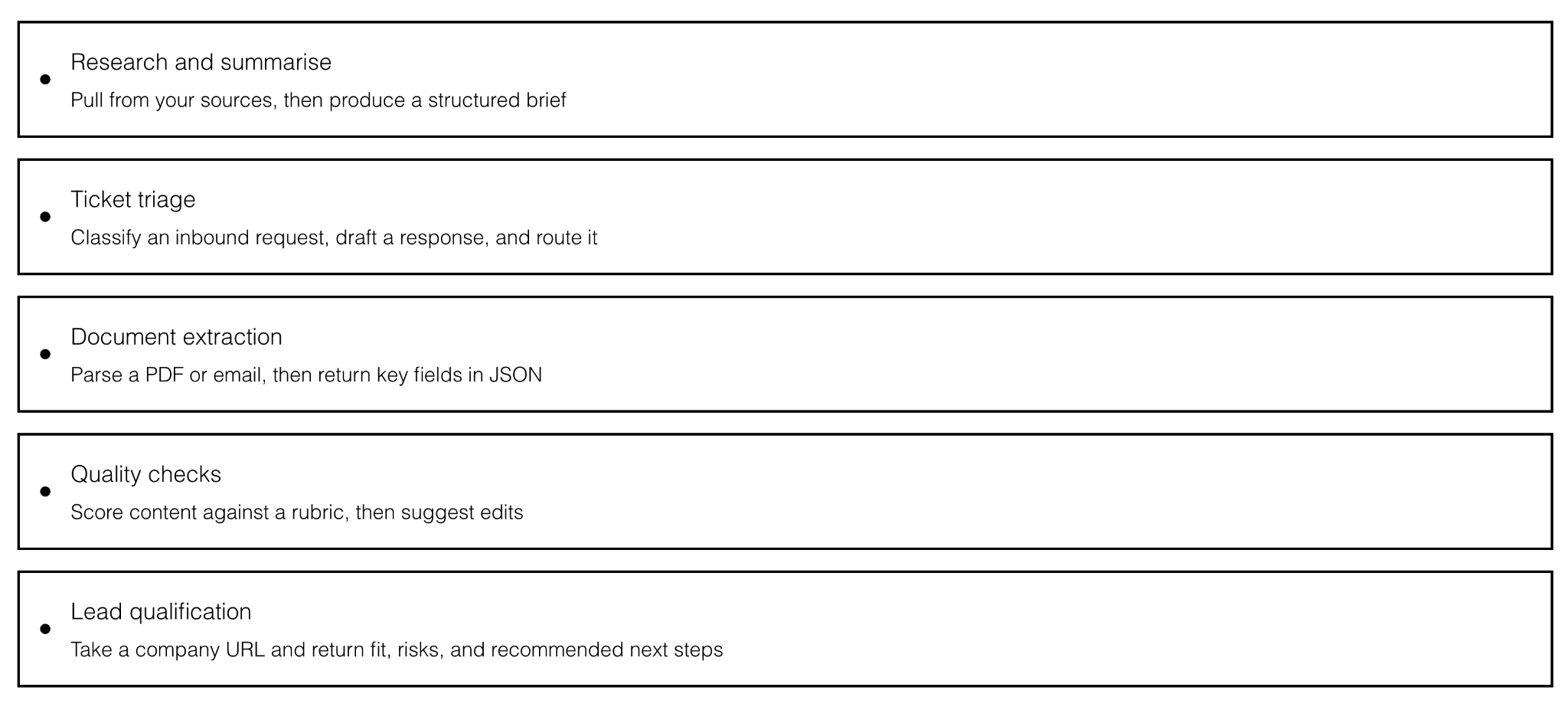
Workflows that tend to work especially well when exposed as MCP tools include some of the following: research and summarization, ticket triage and routing, document extraction to structured JSON, quality scoring against a rubric, and lead qualification from a URL.
FAQ
Is MCP only for coding tools?
No. MCP works in any supporting client, including chat apps, IDEs, and other AI applications.
Do I need to run my own server?
Not always. StackAI offers a hosted MCP server at https://mcp.stack.ai/mcp. Self-hosting via Prefect Horizon or Docker is also an option if you need more control.
What is the difference between run_workflow and create_workflow? run_workflow executes an existing published workflow. create_workflow builds a new workflow from a plain language description, which is then auto-published as a draft you can edit.
Will the assistant always use the right tool?
It depends on tool names, descriptions, and input schemas. Clear naming and well-typed inputs make it much more likely the assistant picks the right tool. For run_workflow specifically, the assistant can call list_projects first to discover the correct IDs automatically.
Key Takeaways
MCP is the standard way to connect AI applications and agents to tools and data. StackAI's MCP integration gives you four tools for browsing, running, inspecting, and building workflows directly from Claude, Cursor, or any other supporting client. Design your tools like product features, treat security as part of the architecture, and you get something genuinely powerful: agents that can reach into real systems, run real workflows, and still be safe enough to use in production.

Max Poff
Forward Deployed Engineer at StackAI





